Minecraft is more than just building; it's about exploring, imagining, and bringing ideas to life. However, not all changes can be made with in-game tools alone. That's where Minecraft editors come in. These special tools help players build faster, customize worlds, and try out new features. By using them, you can save time and enjoy different ways to experience the game.
What is a Minecraft Editor?
A Minecraft editor is a tool designed for players to make changes in the game. With them, you can customize different parts of your game. These editors help you build faster, customize the look, or add new features to your world. Some editors can also be used to make complex game commands, mods, or mini-games. They allow you to make changes in data files, character skins, maps, or other gameplay functions. Minecraft editors can be used online or offline on your devices. You can use them to get more control over your creative world.
Main Types of Minecraft Editors
Minecraft offers different editors to edit specific parts of the game. They help you shape the land, customize characters, and edit other parts of the game. Some of the main types are:
World Editors
World editors are specifically designed to change and shape your Minecraft world. By using these editors, you can easily remove any area of your world, copy or duplicate buildings, or give a new look to your land. These editors are mostly used to save time and effort in big worlds.
NBT or Data Editors
These tools help you edit the saved data of your worlds. You can make changes in inventory, game rules, stats, and more.
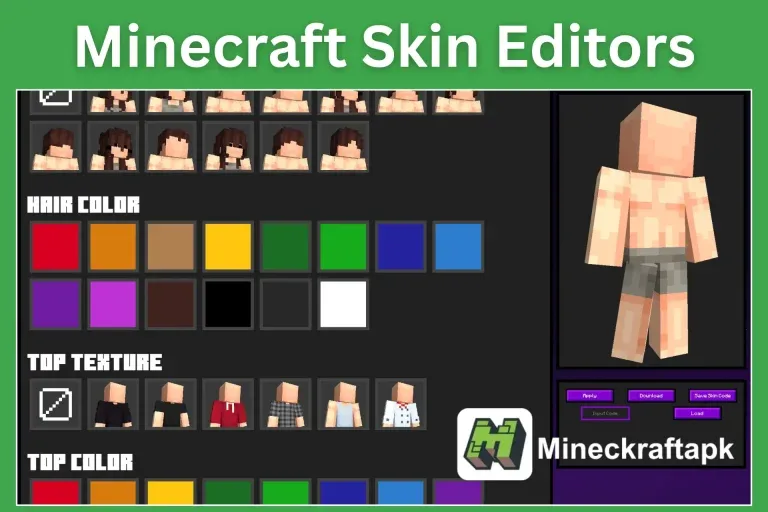
Skin Editors
These editors allow you to make and customize the look of your character's skin. You can play with small details to give a new and customized look to the characters in your world.
Modding Tools
These tools are used to create new items, blocks, mobs, features, and different game mods. A beginner can also use these tools to create mods without any coding.
Command and Function Editors
These editors help you create complex functions without difficulty. You can use them to create mini-games, custom maps, or game events.
Resource Pack Editors
These editor tools allow you to update textures, add new sounds, or even change in-game text and fonts to give a fresh look to your game.
Popular Minecraft Editor Tools
Some tools are required to use if you want to make changes to your world with a Minecraft editor. These tools are useful for editing different parts of the game. Here is a list of the most popular Minecraft editor tools available:
- WorldEdit: World Editor – In-game editing for large builds
- MCEdit: World Editor – External terrain and structure editor
- Amulet Editor: World Editor – Updated tool for newer versions
- MCSkin3D: Skin Editor – 3D skin design on desktop
- Skindex: Skin Editor – Online skin drawing tool
- NBTExplorer: NBT/Data Editor – Edit saved game data (Java)
- Universal Minecraft Editor: NBT/Data Editor – Advanced data editing (Java & Bedrock)
- MCreator: Modding Tool – Create mods without coding
- Blockbench: Model Editor – Make custom mobs, blocks, and items
- MCStacker: Command Generator – Build commands easily online
- Bridge: Data Pack Editor – Create behavior packs (Bedrock)
How to Use Minecraft Editors?
1. Choose the Right Editor: Pick the right editor for your needs. If you want to edit or build your world faster, choose a world editor like WorldEdit.
2. Download or Access Online: Some Minecraft editors are accessible online, while others require a download.
3. Backup your Game: Always make a copy of your game before using any editor. This helps you restore your original game if changes go wrong.
4. Open Editor: Open the Minecraft editor and load the required files, such as the Minecraft world, skin, or resource files.
5. Make Your Changes: Use the available tools to edit your game's look, build fast, customize textures, edit commands, or whatever your requirements are.
6. Save and Test: Save your changes after editing. Test them by playing the game.
Why Use Minecraft Editors?
Minecraft editors are helpful tools to customize, improve, or create new content for your game:
- You can build faster without placing each block manually.
- You can add or customize new items, blocks, or mobs in your Minecraft world.
- You can create game content to share with others.
- You can learn to fix and customize game mechanics.
Conclusion
Minecraft editors are specially designed tools for players to customize Minecraft gameplay. You can use them to edit worlds, skins, data, mods, or create more creative features. By using the right Minecraft editors, you can give a new look to your Minecraft world.
FAQs
Can I use Minecraft editors without downloading them on my device?
Yes, you can use Minecraft editors in your browser without downloading them on a PC or other device.
Can I use Minecraft editors on both editions?
Minecraft editors are available for both editions. Some tools are designed specifically for the Bedrock edition.
Should I know how to code using Minecraft editors?
Most editors allow you to make changes without knowledge of coding. So, you can use Minecraft editors even without learning coding.
Minecraft Editors: A Complete Guide to Tools, Types, and Usage
Minecraft editors are tools that help players build faster, customize worlds, and add features. This guide covers main types, popular tools, and how to use them safely.
Published 2025-08-08